

Programming a garage door opener means clearing old codes, then pairing each remote, keypad or phone app to the opener's receiver using its learn button or pairing mode. The exact button sequence depends on the brand, but the order of steps is nearly always the same.
Most failed attempts come down to three things: pressing the learn button and then waiting too long, using a remote that is not compatible with the opener's frequency, or forgetting to clear old remotes first. Work through the steps below in order and you will avoid all three.
Find Original Home Decor sparking conversation at Grand Goldman Shop.


Step by step
1. Identify your opener and its learn button
Open the motor housing cover or look at the back panel to find the learn button, which is usually a small coloured square next to the antenna wire. Note its colour and the opener's brand and model, because colour-coded buttons often indicate different radio generations. If your opener was made before the mid-1990s it may have dip switches instead of a learn button, and the pairing method is different.
2. Clear the memory before adding anything new
Press and hold the learn button for about six to ten seconds until the indicator light blinks or clicks off, which wipes every paired remote and keypad. Do this whenever you move into a new home or lose a remote, so an old code cannot open your door. Be aware this also disconnects any car remotes and smart controllers, so you will need to re-pair everything afterwards.
3. Pair one remote at a time
Press the learn button briefly and release it, then within about 30 seconds press and hold the remote button until the opener clicks or its light flashes. Repeat the process for each additional remote, one at a time, rather than pressing several remotes in a row. Test each remote from outside the garage with the door closed before moving on to the next.
4. Program the outdoor keypad
Keypads usually need a personal PIN entered first, followed by the learn sequence on the opener within the same short window. On many models you press the learn button, then type the PIN and press the enter key twice until the opener responds. If the keypad has a battery cover, check inside for a second programming button before assuming it is faulty.
5. Connect a smart controller or car HomeLink
For a phone app, put the opener into pairing mode and follow the controller's own app wizard, which will walk through the learn button press and confirmation. For a car with HomeLink, hold the chosen car button while pressing the handheld remote near the mirror, then complete any final learn button step the car prompts for. Some newer openers with rolling codes need the car to be in range of the opener during the final confirmation.
6. Test every entry point and label the remotes
Close the door and test each remote, the keypad and the app from outside, watching that the door reverses correctly if something blocks it. Label each remote so you know which one to delete if one goes missing. Finally, check the safety sensors at the bottom of the tracks are clean and aligned, since a misaligned sensor looks like a programming failure.
Gear that makes this easier
| Product | What it solves | Best for | Verdict |
|---|---|---|---|
| Chamberlain universal garage door remote | Replaces lost or dead remotes across several brands | Households with mixed-brand openers | Strong all-rounder |
| LiftMaster wireless keypad | Keyless entry for family, dog walkers and guests | Front-facing garages with no side door | Worth it if you share access |
| myQ smart garage controller | Phone control, open/close alerts and remote access | Chamberlain and LiftMaster owners | Best for app control |
| Meross smart garage door opener | Adds app and voice control to non-smart openers | Older openers from other brands | Good budget bridge |
| Genie garage door remote | Native pairing with Genie openers and IntelliCode | Genie owners tired of universal remotes | Most reliable match |
| Garage door opener surge protector | Protects the control board that holds your paired codes | Homes with frequent power spikes | Cheap insurance |

Chamberlain universal garage door remote
This is the sensible pick when your original remote is lost and you do not want to hunt down an exact replacement. It suits anyone with a Chamberlain, LiftMaster or compatible opener who wants one spare remote covering multiple doors. Skip it if your opener uses an unusual frequency, because a brand-specific remote will pair more reliably.
LiftMaster wireless keypad
A keypad is the cleanest way to give a cleaner, relative or dog walker access without handing over a remote that can be lost. It fits well on garages where the only entry is the main door. Skip it if everyone already uses a phone app and you would rather not manage another PIN.

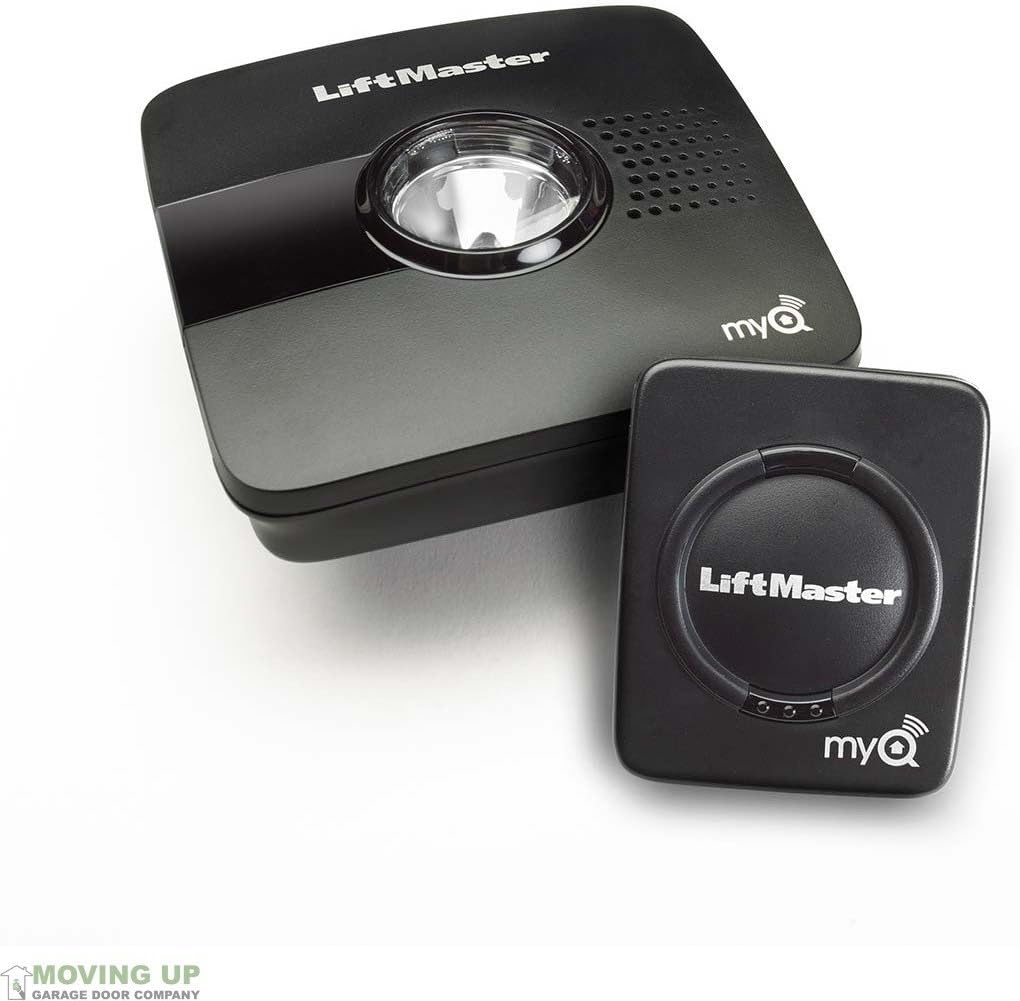
myQ smart garage controller
This makes sense for Chamberlain and LiftMaster owners who want to check the door is closed from their phone and get alerts when it opens. It is the smoothest pairing experience if your opener is already on that platform. Skip it for other brands, where a universal controller will be less frustrating.
Meross smart garage door opener
Meross is a practical bridge for older openers from brands without their own app, and it handles the learn button sequence through its own setup flow. It suits renters and owners who want app and voice control without replacing the motor. Skip it if your opener is very old with dip switches, as compatibility gets patchy.
Genie garage door remote
A genuine Genie remote avoids the trial and error of universal models, and pairing is usually a single learn button press. It suits Genie owners who have already cleared their memory and want something that just works. Skip it if you need one remote for several different brands.
Garage door opener surge protector
The control board stores your paired codes, so a power surge can wipe every remote and keypad in one go. A small surge protector on the opener's plug is a modest addition that saves a repeat programming session. Skip it only if your opener is already on a protected circuit.

Common mistakes
- Pressing the learn button and then taking longer than the 30-second window to press the remote, so the opener exits pairing mode.
- Adding new remotes without clearing old ones, which leaves a previous owner's or lost remote's code active.
- Using a universal remote that does not match the opener's frequency or rolling-code generation.
- Blaming programming when the real fault is misaligned safety sensors or a flat remote battery.
- Forgetting that clearing the memory also disconnects car HomeLink buttons and smart controllers.
FAQ
Why does my remote stop working after I program it?
The most common cause is a weak battery or a remote that paired but was not confirmed by the opener's light or click. Replace the battery first, then repeat the learn button sequence and watch for the confirmation signal.
Do I need to clear the memory to add a new remote?
No, you can add a remote to an existing setup without wiping it, as long as you have room in the opener's memory. Clearing is only necessary when you want to remove lost remotes or start fresh in a new home.
How many remotes can one opener remember?
Most modern openers store somewhere between eight and twenty remotes, keypads and controllers combined. Check your model's manual, because older units fill up faster and will simply stop accepting new pairings.
Can I program a garage door opener without the original remote?
Yes, as long as you can reach the learn button on the motor unit. The original remote is only needed for car HomeLink pairing on some models, where it acts as the signal source.
Why will my car's HomeLink not pair?
Rolling-code openers usually need a final learn button press on the opener while the car is in range, which many people skip. Also check the car is in the correct programming mode and the ignition is on as the manual requires.
Is it safe to program a keypad myself?
Yes, provided you clear old codes first and choose a PIN that is not obvious. Avoid sharing the PIN widely, and delete any code you no longer need if circumstances change.
Work through the steps in order, clear the memory once, and pair one device at a time with a test after each. That routine solves the vast majority of programming problems without a service call, and it leaves you knowing exactly which remotes can open your door.
As an Amazon Associate we earn from qualifying purchases.







